
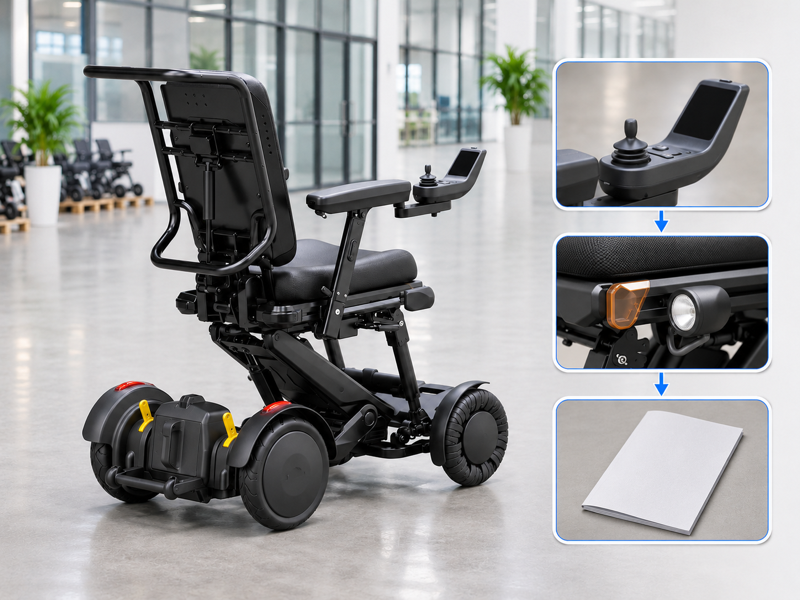
Review XSTO M4Pro lighting by confirming the active lamps, their functions and the guide for the actual controller. A colored lens or yellow part in a photo may be mistaken for a signal light. That error can then appear in a quote or handover note. Ask for a labeled product explanation and keep the supplied system clearly identified.
What does the XSTO M4Pro lighting information describe?
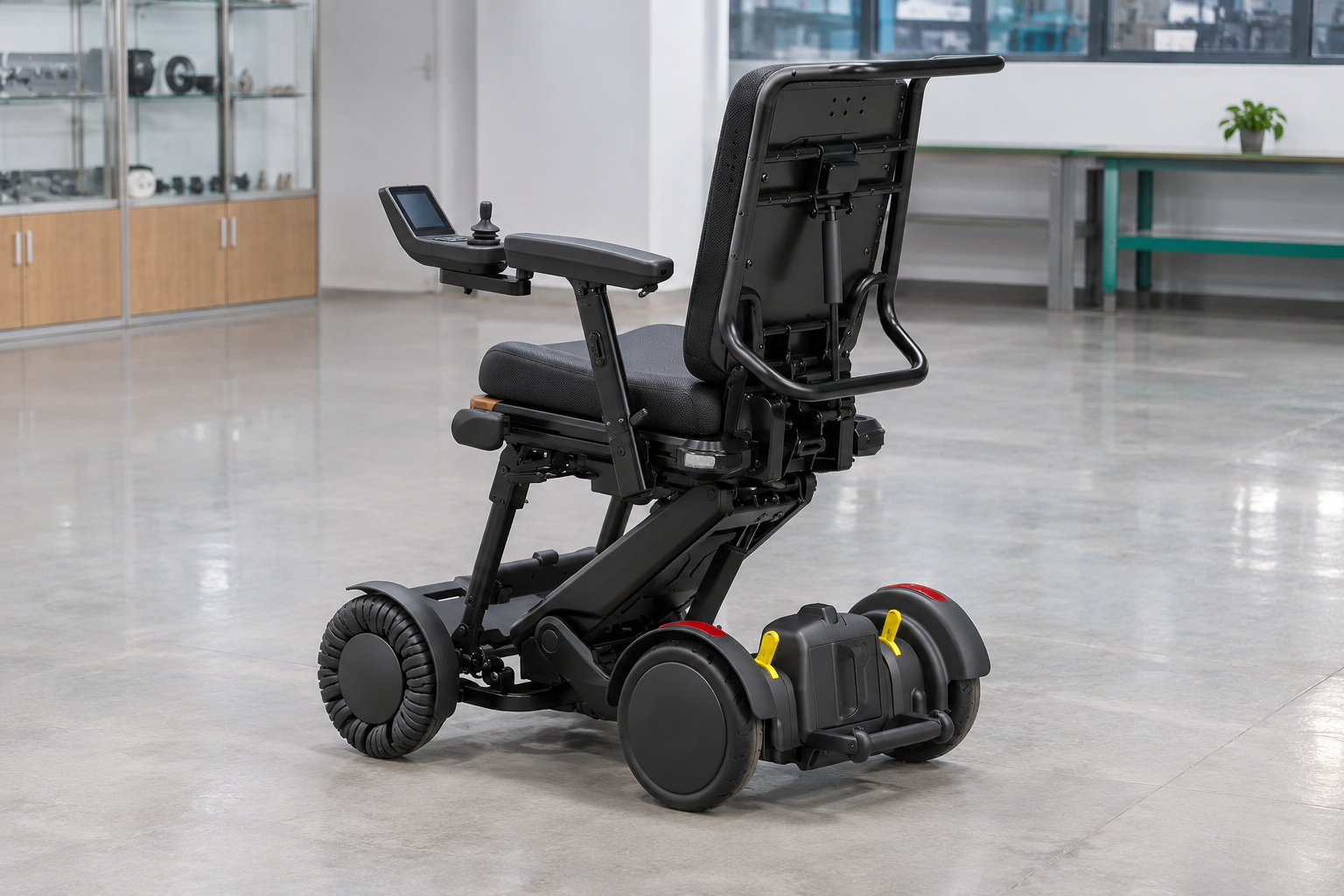
The supplied XSTO M4Pro lighting sheet describes a headlight, yellow turn indications and a red braking indication. Buyers should confirm the actual fitted system and its matching control guide rather than infer function from a colored lens.
Identify the active light system
A photograph does not show every operating state. Request a labeled product view and the applicable explanation of the signals. Keep reflective parts and active lamps distinguished in the review. WHO guidance supports assessment, fitting and follow-up.
- Light function
- Part location
- Control source
| Review point | What to confirm |
|---|---|
| Light function | Maker's stated purpose |
| Part location | Confirmed labeled view |
| Control source | Applicable guide |
Key Takeaway: You can discuss the fitted system without calling every colored part a lamp.
How should lamps and reflectors be distinguished?
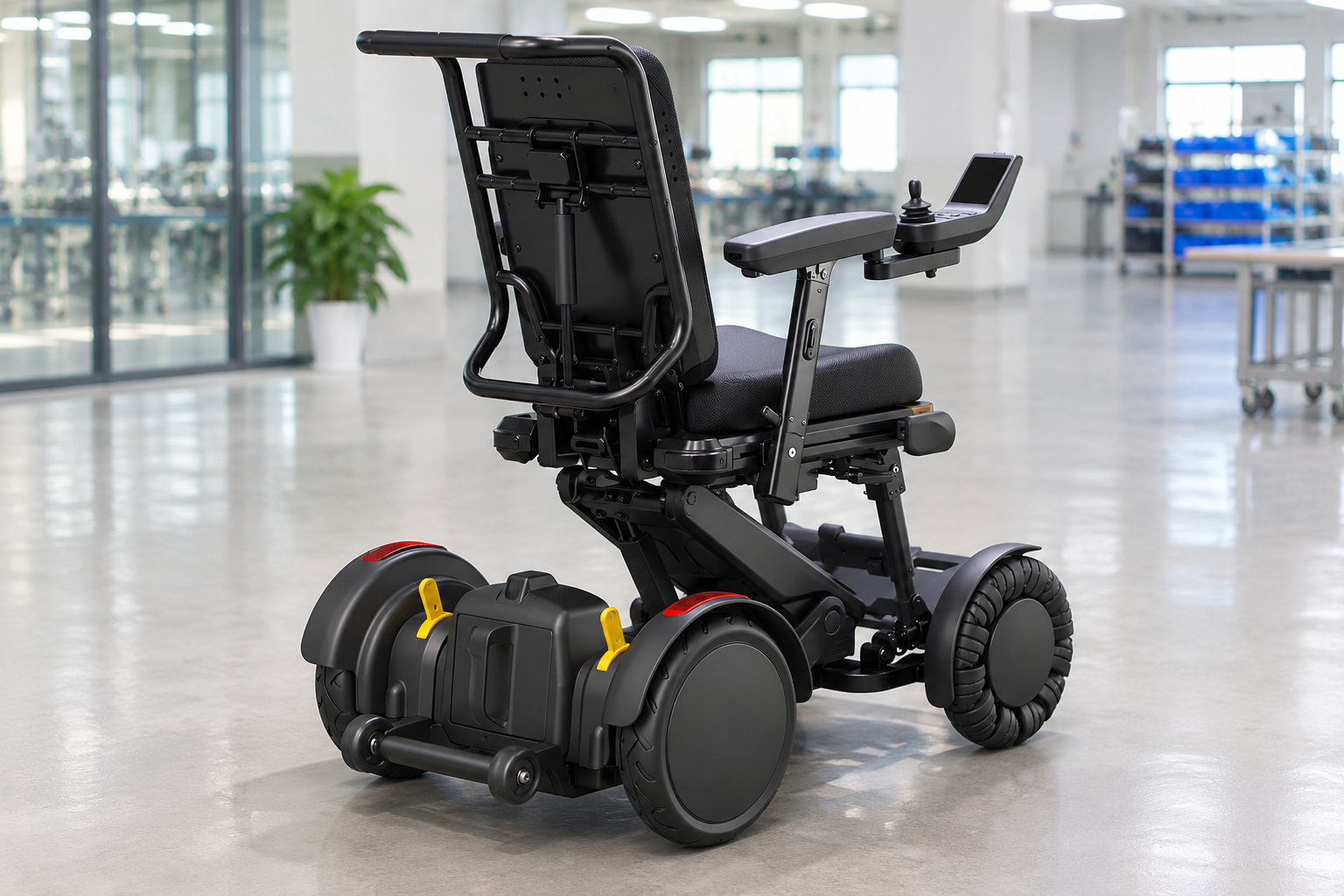
For XSTO M4Pro lighting, the supplier should identify which parts are active lamps and which have another role. Color alone does not establish whether a visible part flashes, illuminates or simply reflects light. Ask the supplier to mark that part on a photo.
Which part performs the stated function?
Ask for the actual part reference. Use the current product guide or provider demonstration to confirm the distinction. Do not label a yellow latch or red trim as a signal light based on appearance. Use the same clear part identity in the product-design review.
- Active lamp
- Other part
- Evidence
| Review point | What to confirm |
|---|---|
| Active lamp | Confirmed light part |
| Other part | Correct identified function |
| Evidence | Applicable guide or provider explanation |
Key Takeaway: You can keep a lighting description accurate at part level.
What should XSTO M4Pro lighting controls explain?

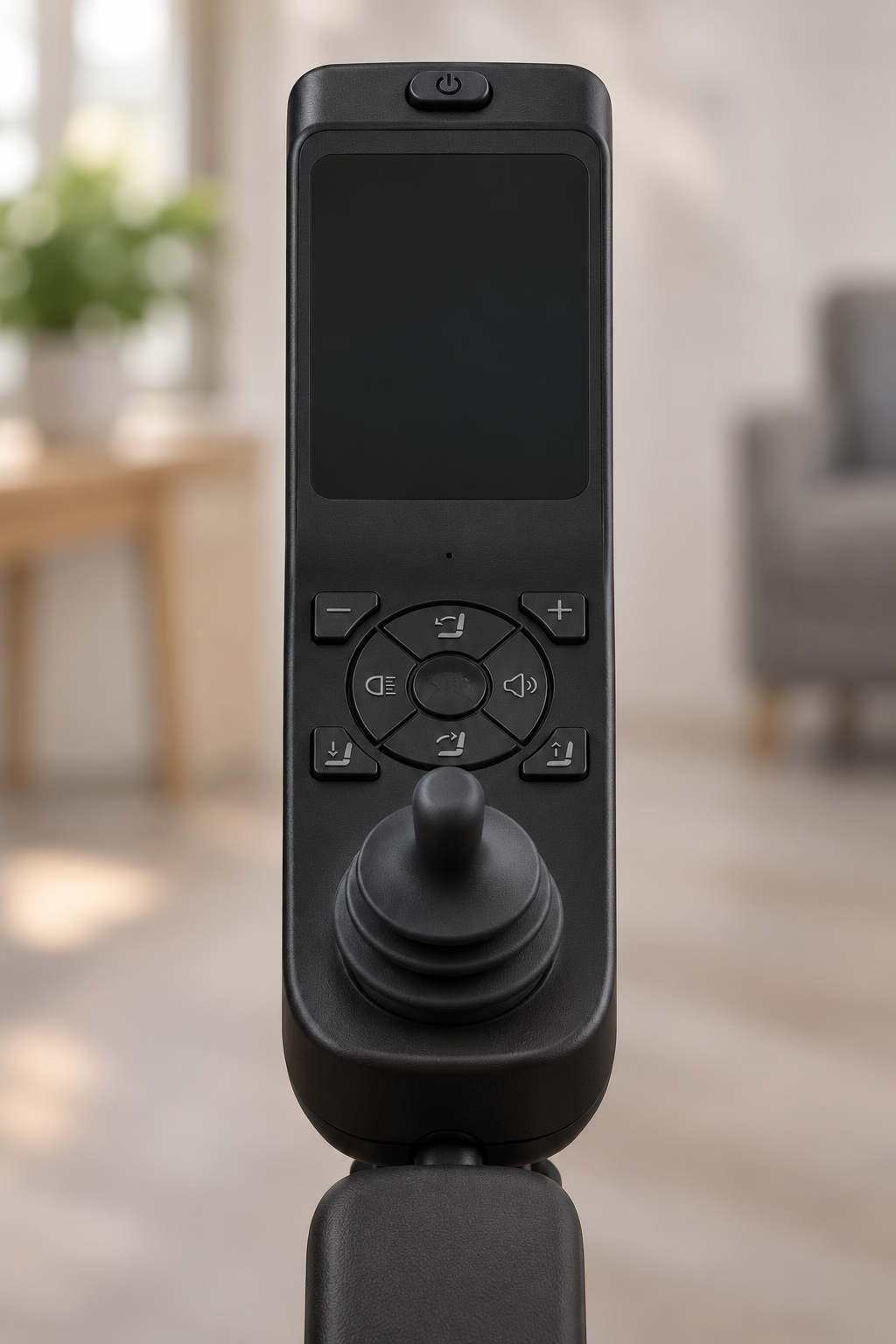
XSTO M4Pro lighting controls should be explained through the guide for the supplied controller and software version. A product picture does not establish the exact activation method or the meaning of each status.
Use the matching control source
The instruction needs the correct version. Ask the provider what will be covered at handover. Keep unclear functions in the training record rather than assuming a familiar button works the same way.
- Controller identity
- Function guide
- Handover scope
| Review point | What to confirm |
|---|---|
| Controller identity | Actual supplied version |
| Function guide | Matching instructions |
| Handover scope | Provider's confirmed explanation |
Key Takeaway: You can plan a clear handover without inventing a button sequence.
Can lights establish permission for road use?
No, XSTO M4Pro lighting does not by itself establish permission for a particular road, route or public setting. The actual product and use location need the relevant local and service review.
Keep the route question separate
A light is one equipment feature. Ask the responsible local or service contact which requirements apply. Avoid presenting a lamp set or quoted top speed as a universal road-use approval.
- Actual setting
- Relevant requirements
- Product scope
| Review point | What to confirm |
|---|---|
| Actual setting | Specific proposed location |
| Relevant requirements | Responsible local review |
| Product scope | Applicable intended-use guidance |
Key Takeaway: You can describe the lights without making an unsupported legal or access claim.
Does XSTO M4Pro lighting guarantee visibility at night?
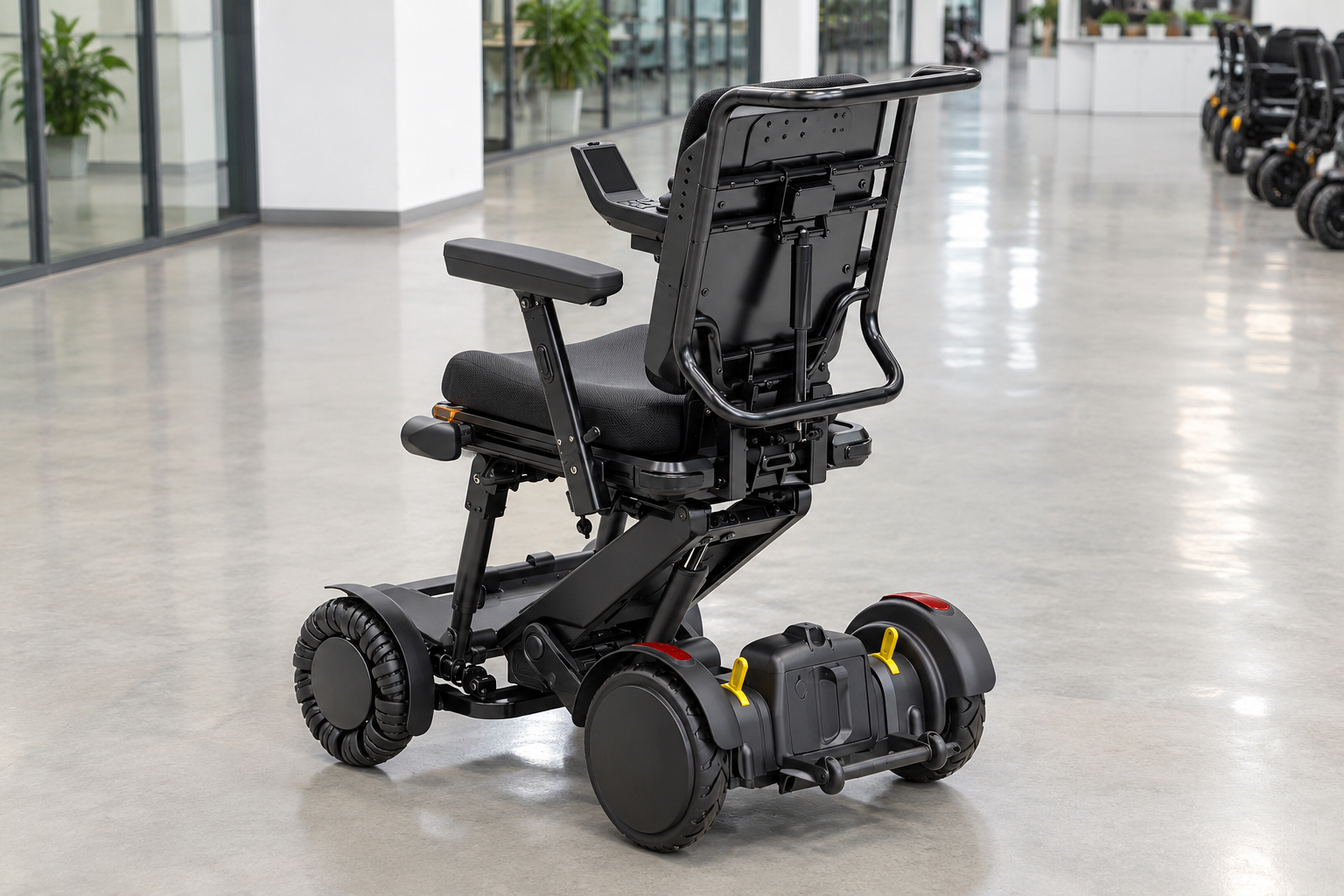
No, XSTO M4Pro lighting cannot guarantee that every person or vehicle will see the user in every condition. The real environment, route and relevant operating guidance need their own review.
State the feature without promising the outcome
Conditions change the visibility question. Ask the provider what limitations and use conditions apply. Keep a nighttime service plan separate from a general product-lighting description. Keep the intended use case within that review.
- Fitted system
- Environment
- Guidance
| Review point | What to confirm |
|---|---|
| Fitted system | Actual supplied lamps |
| Environment | Relevant route and conditions |
| Guidance | Applicable operating limits |
Key Takeaway: You can avoid turning a useful feature into a universal visibility guarantee.
What should a lighting demonstration record?
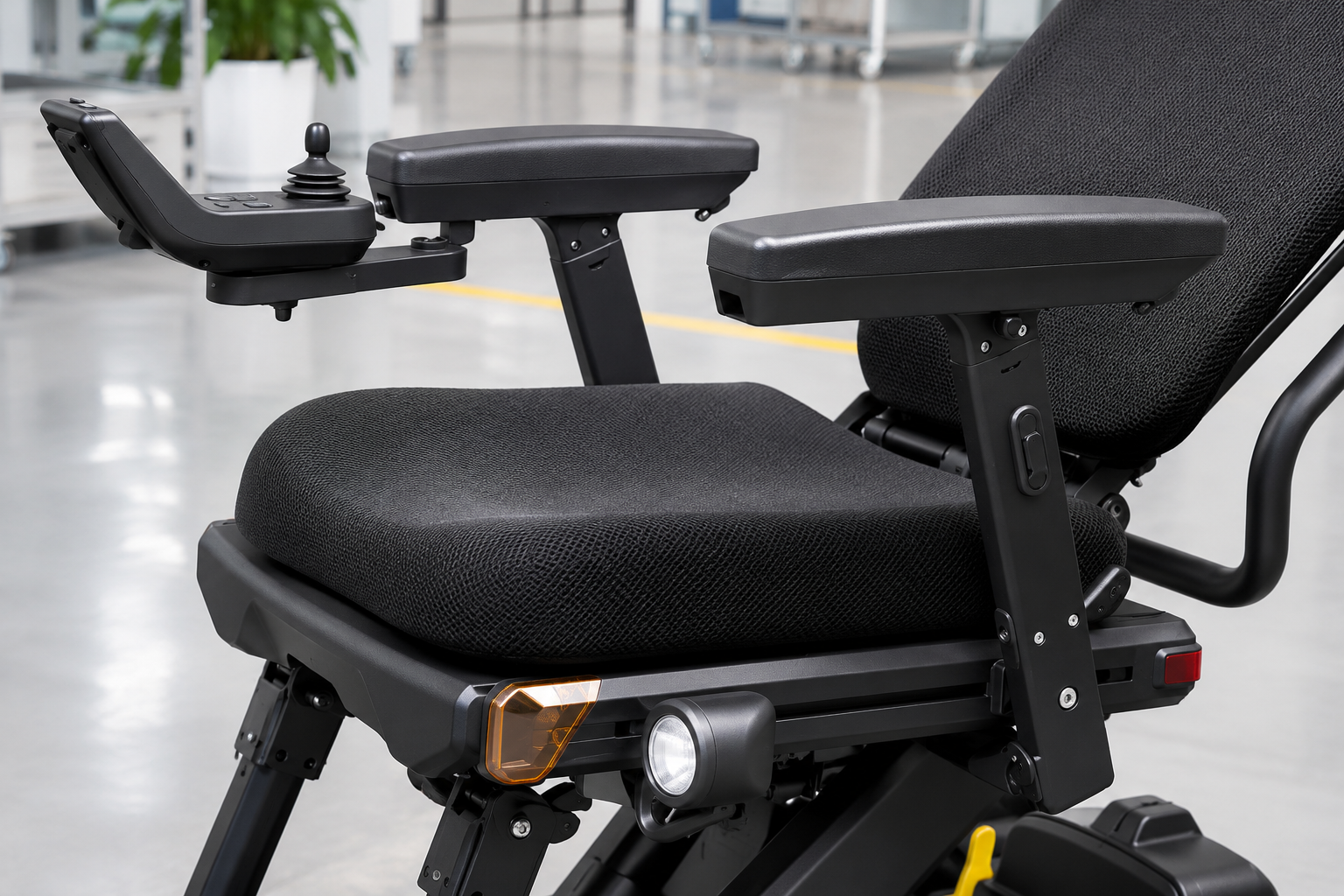
A XSTO M4Pro lighting demonstration should record the actual unit, functions shown and the guide used by the responsible provider. It should not be presented as certification or proof of every road condition.
Give the demonstration a defined purpose
Record the function that was actually shown. Ask the provider to identify the relevant lamps and indications. Keep any unanswered question in the handover or service record.
- Demonstrated unit
- Shown functions
- Open questions
| Review point | What to confirm |
|---|---|
| Demonstrated unit | Exact model and version |
| Shown functions | Specific light states |
| Open questions | Named follow-up items |
Key Takeaway: You can use a demonstration to clarify the product without overstating its evidence.
How should damage or unusual light behavior be reported?
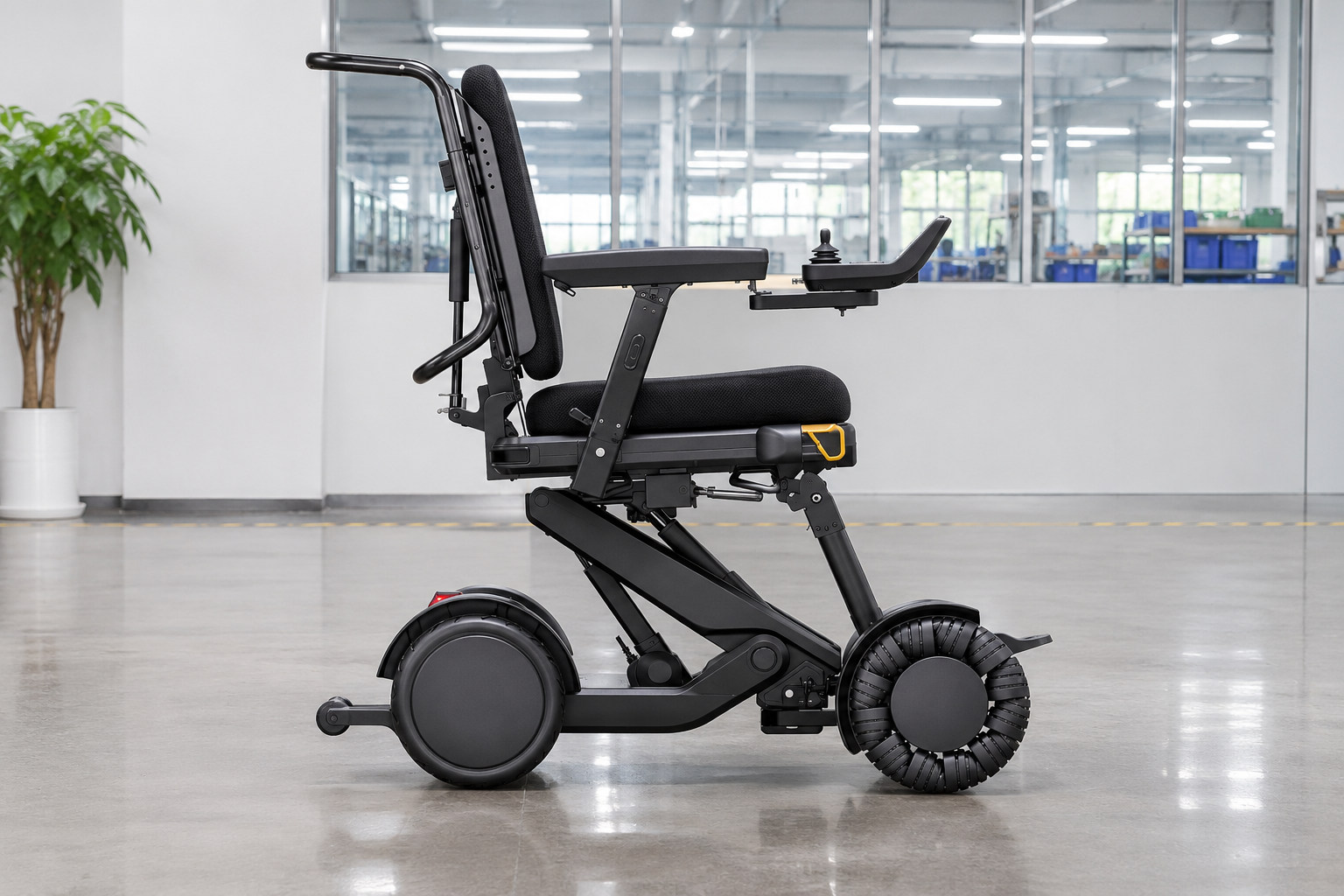
Concerns about XSTO M4Pro lighting should be reported with the unit identity, exact affected area and factual observations. Users should not open electrical housings or improvise wiring to investigate the issue.
Describe the light concern clearly
The provider needs the correct part context. Include requested photographs without staging a live fault. Follow the applicable service instructions for the next action.
- Affected area
- Observed behavior
- Service response
| Review point | What to confirm |
|---|---|
| Affected area | Confirmed part location |
| Observed behavior | Factual report |
| Service response | Responsible support process |
Key Takeaway: You can submit useful evidence without suggesting an electrical repair method.
What should replacement-light requests confirm?
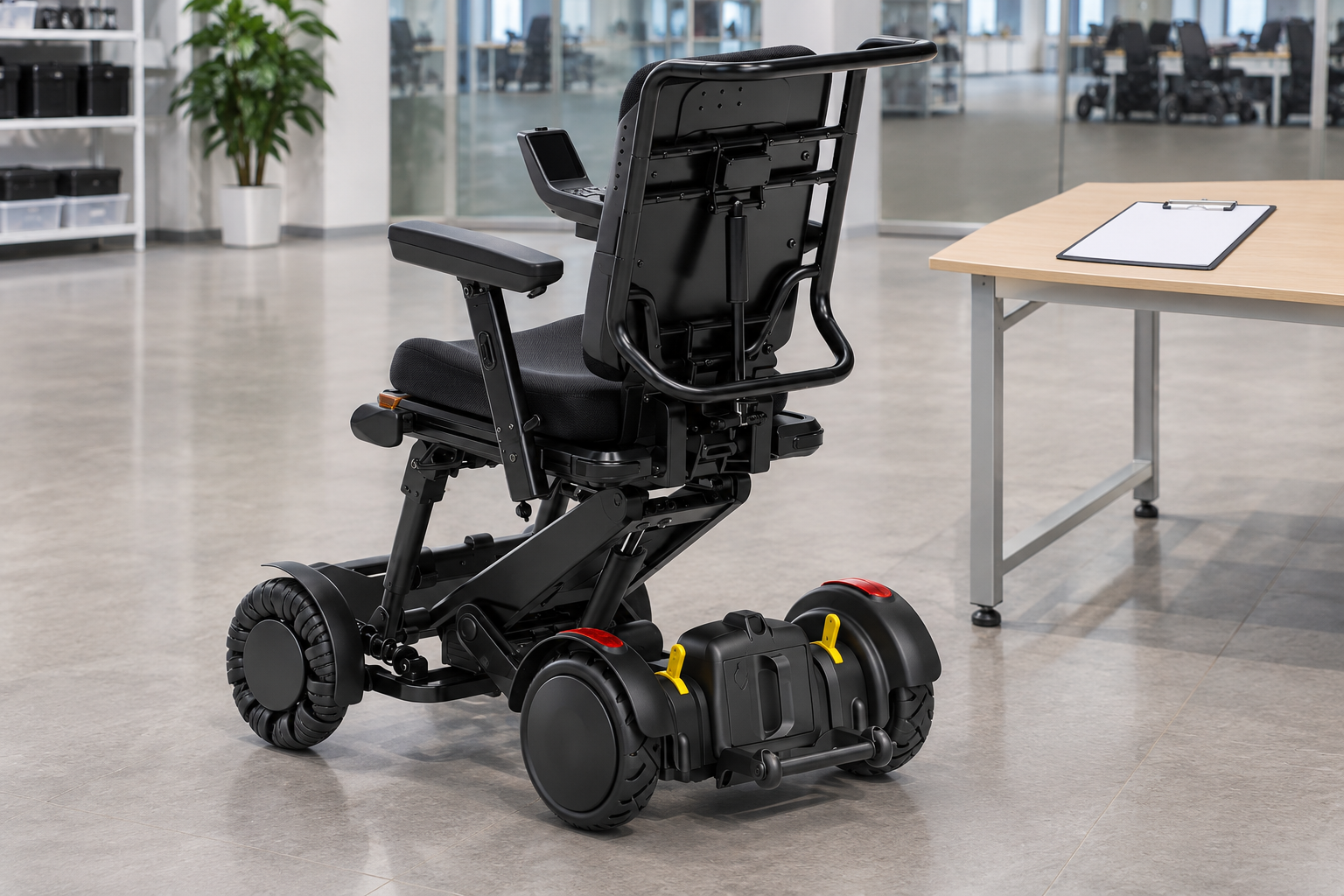
Replacement requests for XSTO M4Pro lighting should confirm the exact part and its compatibility with the supplied chair. A lamp's color or apparent size does not establish the correct replacement assembly.
Use the product record to identify the part
The complete connection and scope matter. Ask the supplier for the approved replacement and relevant service process. Keep accessory changes or added lamps outside the order unless specifically reviewed. Add the approved replacement reference to the parts list.
- Original part
- Replacement match
- Service scope
| Review point | What to confirm |
|---|---|
| Original part | Exact identified part |
| Replacement match | Written supplier confirmation |
| Service scope | Applicable installation process |
Key Takeaway: You can request a matching part without assuming a generic lamp will do.
What should XSTO M4Pro lighting delivery records retain?
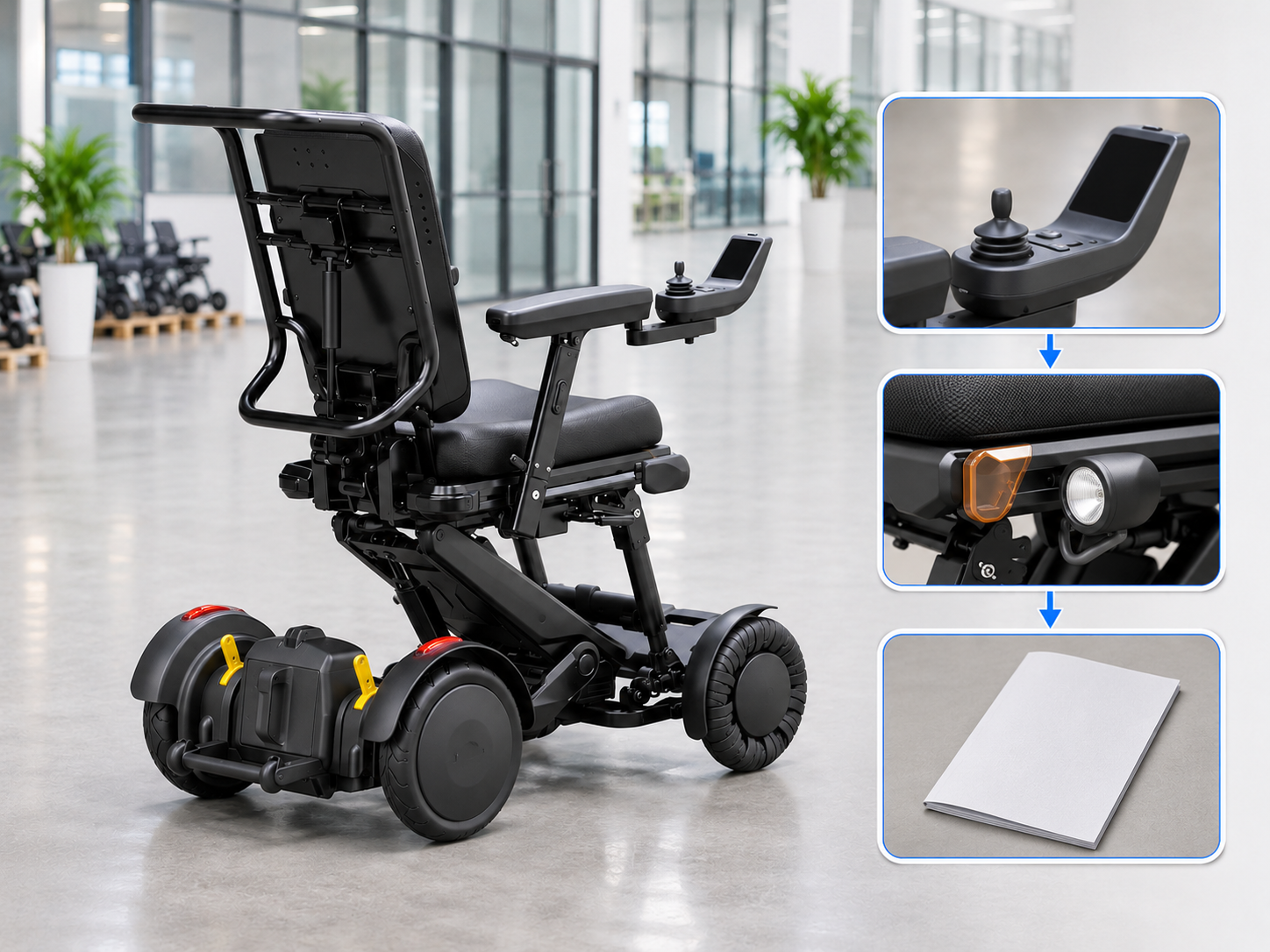
XSTO M4Pro lighting delivery records should retain the agreed system, applicable guide and any reported difference from the offer. A photograph of a configured example should not substitute for the actual delivered contents.
Check the promised setup
The order should name what is included. Record the provider's explanation of the supplied functions. Route any discrepancy through the agreed receiving and support process.
- Agreed scope
- Delivered system
- Reported difference
| Review point | What to confirm |
|---|---|
| Agreed scope | Current offer details |
| Delivered system | Actual fitted parts |
| Reported difference | Clear receiving record |
Key Takeaway: You can keep the lighting package consistent across purchasing and handover.
How can you request XSTO M4Pro lighting details?
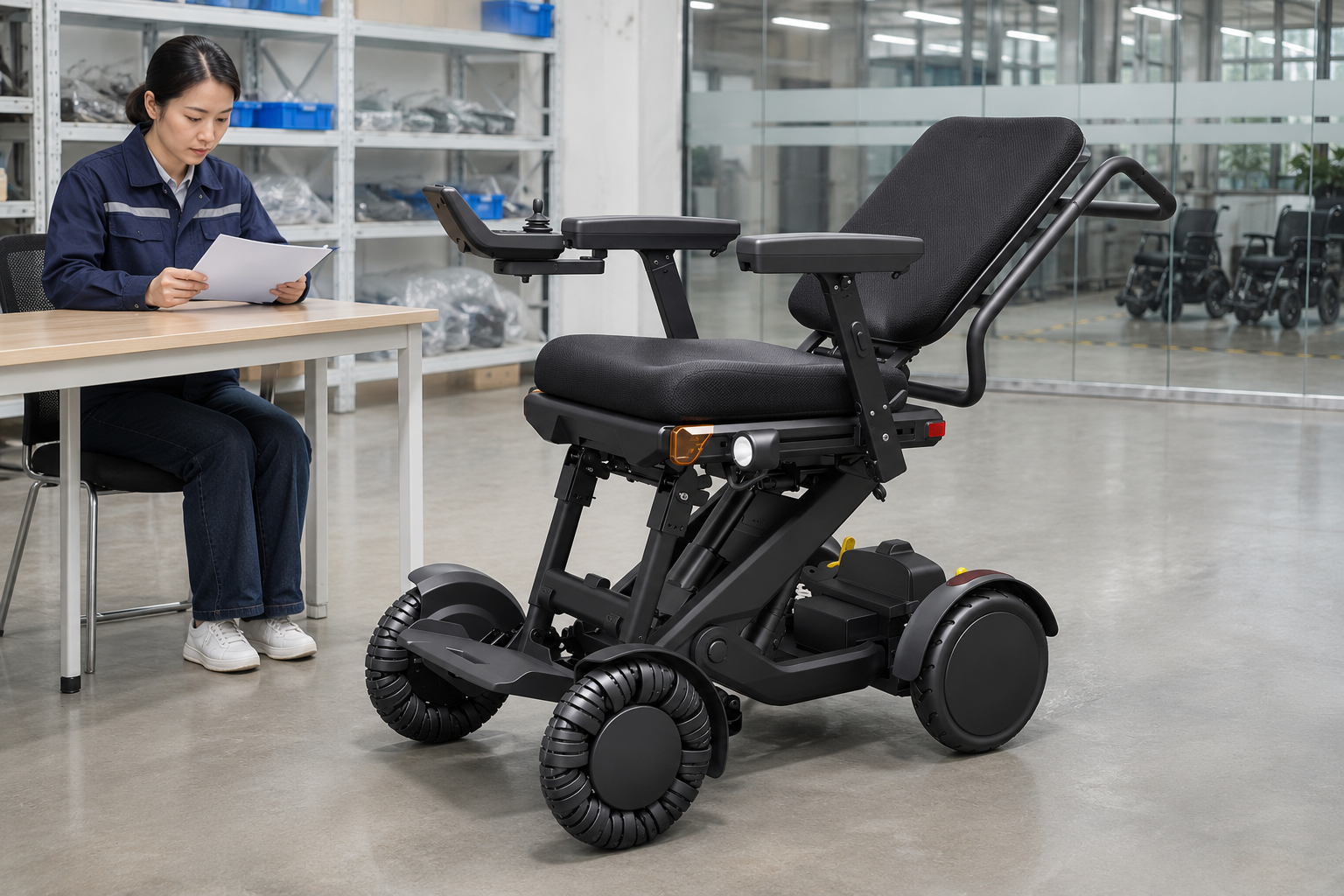
Request XSTO M4Pro lighting details with the exact model and the function you need to understand. Ask for part identification, matching instructions and the actual supplied scope.
Send a function-specific inquiry
Name the light or indication in question. Use the reply in the relevant handover and service review. Keep route, visibility and local-use decisions within their own responsible processes.
- Model identity
- Function question
- Written response
| Review point | What to confirm |
|---|---|
| Model identity | Exact offered version |
| Function question | Specific lamp or indication |
| Written response | Guide parts and supply scope |
Key Takeaway: You can describe and buy the lighting system without relying on color or a broad safety slogan. Contact us with your M4 Pro configuration and purchasing questions so we can discuss the product information and written scope you need. AryMD puts clear product facts at the center of buying decisions.
Frequently asked questions
Q1: Can I identify a light's function from its color alone?
No. Ask the supplier to distinguish active lamps, reflective parts and components with other roles.
Q2: What's the best information to request about the controls?
Request the guide for the actual controller version. Ask the provider to explain the relevant lighting functions during handover.
Q3: How do I know whether the lights permit public-road use?
A lighting feature does not establish that permission. The actual product and proposed location need the relevant local and service review.
Q4: Can lights guarantee that others will see the user at night?
No. The environment, route and applicable operating guidance require their own review.
Q5: Should a damaged lamp be replaced with a similar generic part?
Not without a confirmed match. Request the exact approved replacement and applicable service process.