
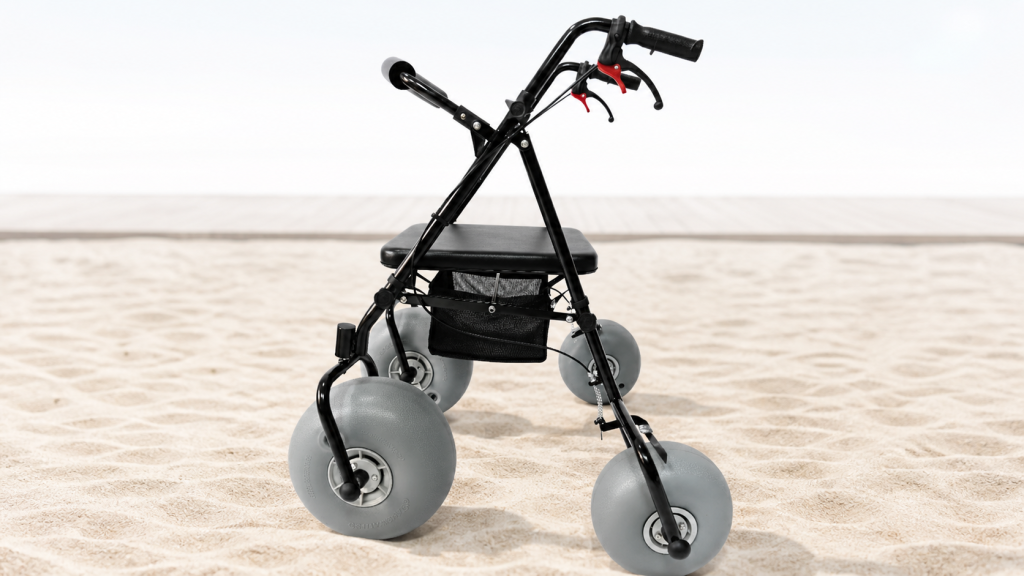
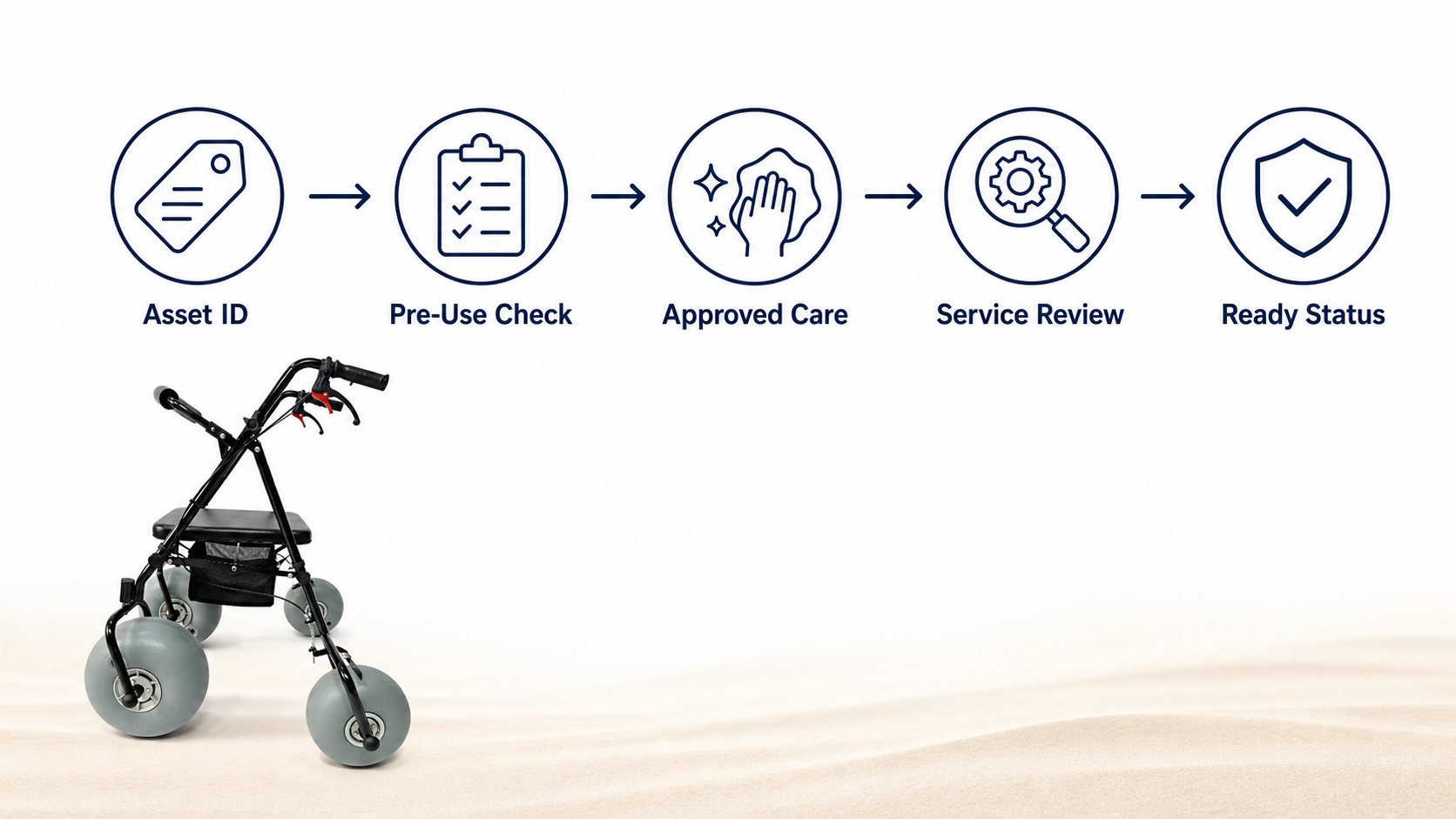
A beach mobility fleet can look ready while small maintenance gaps build quietly. Sand may stay around wheel hardware, a brake cable may feel different, or a service note may remain open after a busy rental window. Resort, municipal, and rental teams need a preventive plan that catches observations early and routes technical questions toward qualified support. This guide organizes Beach Walker care around asset identity, pre-use inspection, approved cleaning, scheduled review, and clear records. It avoids universal service intervals because models, use patterns, and manufacturer instructions differ. Teams should follow the manual for each unit, local operating policy, and qualified service guidance. A written plan gives seasonal staff a shared routine and gives procurement managers better evidence when they speak with suppliers.
How Should a Resort Build a Beach Walker Maintenance Plan?
A Beach Walker maintenance plan should connect daily checks, post-use care, scheduled review, repair boundaries, spare-part records, and availability decisions under one named owner. Start with the correct model information and asset ID, then map every task back to manufacturer guidance. Ary Medical's Beach Walker page helps buyers identify the product category and published features, while each fleet record should point to the exact unit manual. Separate observation from repair. Guest-facing staff can report a loose-feeling part or unusual wheel movement, but only authorized personnel should diagnose or service it. Every task ends with a recorded decision: available, restricted under policy, or unavailable pending review.
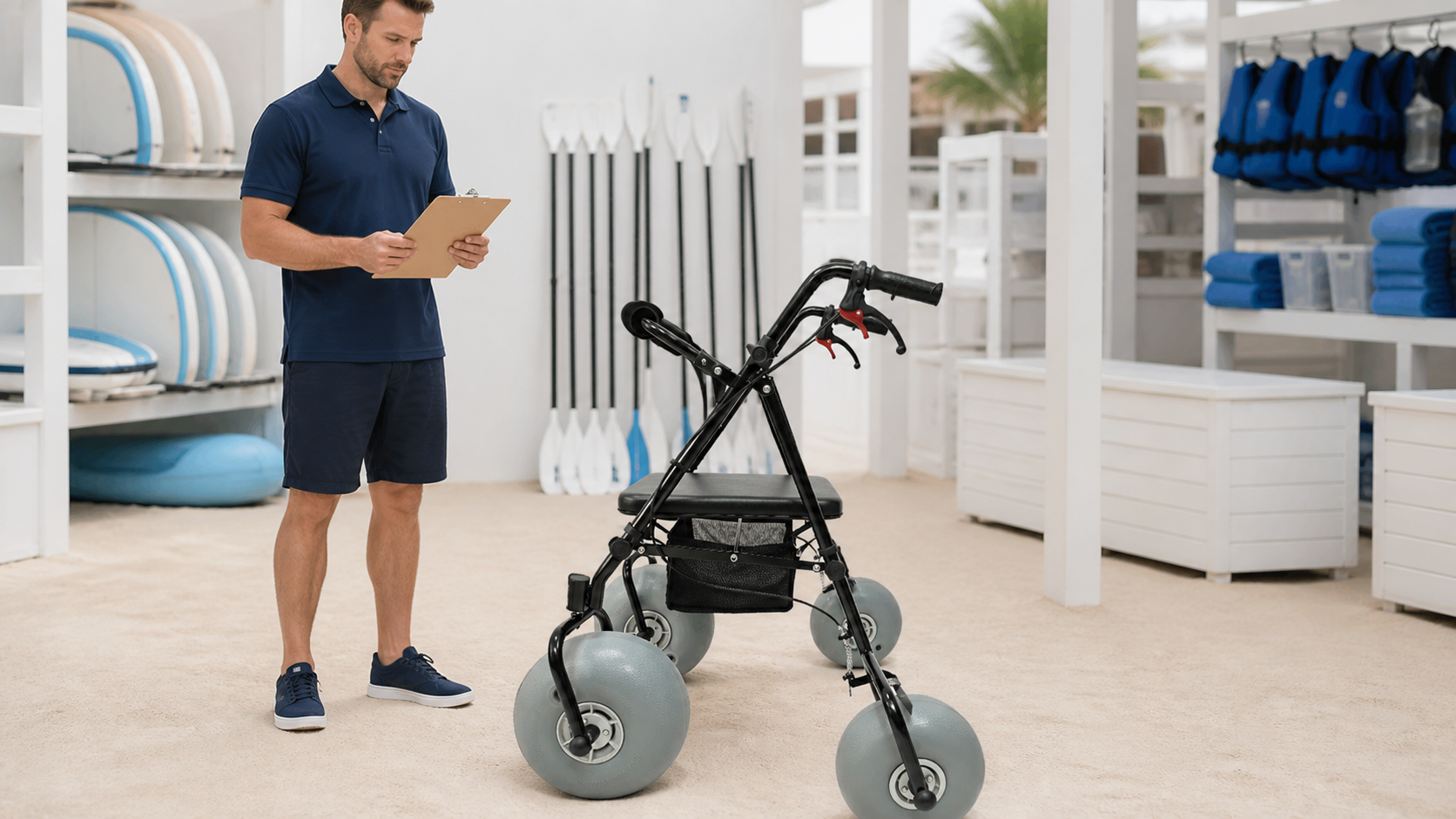
Define daily, periodic, and event-based work
The plan becomes usable when timing is clear: divide tasks by when they occur and what triggers them. Daily work covers visible condition and basic operation before and after service. Periodic work follows the model's instructions and organizational schedule. Event-based work begins after an impact, missing part, abnormal feel, storage incident, or another documented concern. Avoid copying service intervals from a different model. If guidance is unclear, ask the supplier and keep the unit unavailable where policy requires it.
- Daily: identity, visible condition, controls, and readiness record.
- Post-use: approved cleaning, drying, and return check.
- Periodic: trained review under model guidance.
- Event-based: documented pause after an observed concern.
Assign one program owner who maintains forms, manuals, and supplier contacts. Shift staff still complete checks, yet one person should control revisions. Put an effective date on every checklist and remove outdated copies. During onboarding, show staff what factual observations look like. "Left front wheel rubs during a slow roll check" gives a reviewer more value than "walker feels bad." Clear timing and language make maintenance part of service rather than a task that happens only after failure.
Set boundaries between observation and technical service
Here is a strong operating boundary: staff may observe, stop, label, and report; trained service roles may diagnose and act within written authorization. This line protects equipment from improvised fixes and protects employees from pressure to solve technical questions outside their role. Add examples that match the fleet, such as a missing fastener, damaged grip, brake-control concern, frame mark, seat damage, or wheel-retention question. Do not tell staff to tighten or replace a part unless the correct procedure authorizes that work.
- Observe and describe without guessing a cause.
- Mark equipment unavailable when a stop rule applies.
- Attach clear photos and asset details.
- Route technical work to an authorized person.
Procurement managers should keep supplier response channels current. A maintenance plan stalls when staff know a unit needs review but cannot find the model record or contact. Create one escalation path for urgent operational questions and another for routine parts planning. Record any approved change to a checklist after supplier feedback. This lets later shifts see why a step changed and which document supports it.
Which Beach Walker Components Should Staff Inspect?
A Beach Walker inspection should cover visible frame condition, wheel retention and movement, braking controls where fitted, handles, seat, folding points, fasteners, and accessories listed for that model. The check should follow a consistent order so staff do not skip areas when work gets busy. Begin with the unit stationary, then perform only functional checks authorized by the manual and site policy. Ary Medical's article on all-terrain beach walkers offers useful category context, but local teams must avoid applying another design's instructions to their unit. Record any unusual sound, movement, wear, or missing item in plain language.
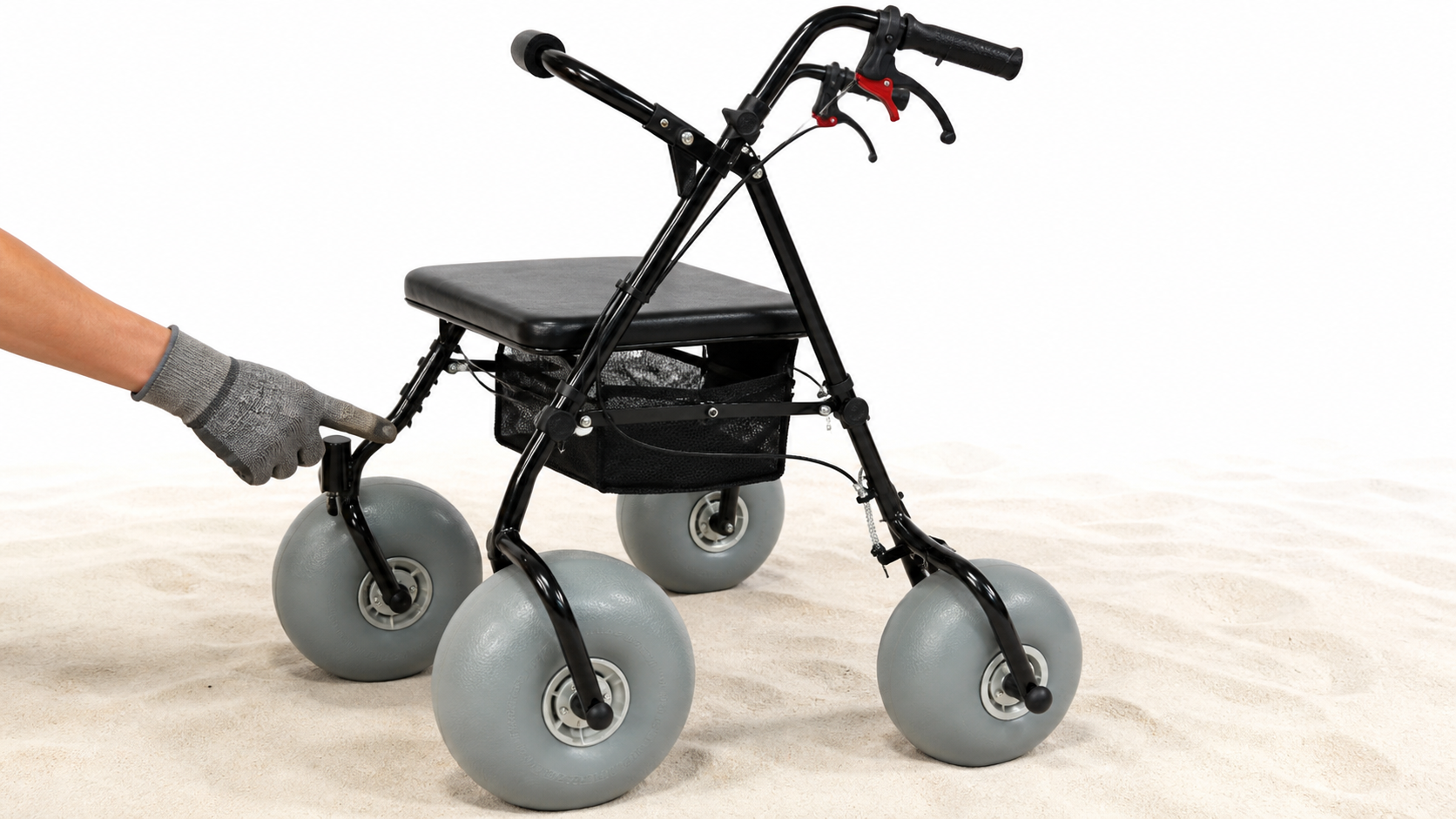
Follow the same inspection path every time
Consistency catches what memory misses: choose a starting point and move around the walker in one direction. Staff can begin at handles and controls, continue through frame joints and seat, then review wheels and any accessories. Use the asset record while inspecting. A physical tag alone does not show open actions, and a digital record alone does not confirm which unit stands in front of staff. Keep the area bright and clear enough for a careful look.
- Match asset ID with the correct record.
- Check handles, grips, seat, and visible frame surfaces.
- Review wheels, retention points, and controls under guidance.
- Confirm accessories listed for that unit.
Avoid pass/fail language without a written criterion. If staff cannot explain what a "pass" means, use a factual observation and refer it for review. Photos should show the affected area and enough surrounding structure for context. Do not rely on extreme close-ups alone. When a concern triggers a pause, place a visible unavailable tag on equipment and update the shared system. Both actions matter because a paper tag can fall away and a digital note may not reach a person standing in storage.
Treat brake and wheel feedback as a stop signal
Small changes deserve a clear response: if trained staff notice wheel movement, control feel, noise, or alignment that differs from the approved baseline, they should stop the check and follow escalation rules. Do not create a universal tolerance or adjustment instruction inside a resort checklist. The correct response depends on model design and service guidance. Record which side, control, or wheel produced the observation and under what permitted check.
- State the exact component and side.
- Describe the permitted action that revealed the concern.
- Note sound, movement, or feel without a diagnosis.
- Keep the unit unavailable pending authorized review.
This approach also improves supplier conversations. A clear description helps a service contact ask the right follow-up questions. Include asset ID, model, purchase reference, relevant photos, and any earlier action tied to that component. If a part replacement is approved, update the parts record and close the prior action with a date and reviewer. Do not return the walker based on appearance alone; use the authorized acceptance step from the service process.
How Should Cleaning and Drying Fit the Plan?
Beach Walker cleaning and drying should sit inside the maintenance workflow, with approved products, assigned locations, inspection checkpoints, and a recorded return state. Cleaning is not only cosmetic because debris can hide surfaces staff need to see. At the same time, an aggressive product or improvised method may conflict with material guidance. Follow the manufacturer's care instructions for frame finishes, fabrics, controls, fasteners, and wheels. The broader Beach Series page can help procurement teams organize related product files, while each unit still needs its model-specific care record.
Create a return station with a fixed sequence
A fixed return sequence reduces skipped steps: receive the walker, confirm identity, record its initial return condition, remove loose debris through an approved method, clean and dry it under guidance, then complete a post-care review. Keep unprocessed units separate from ready units. A shared rack without status labels can place an unfinished walker back into rotation. Provide good lighting and enough space around equipment.
- Receive and identify the returned unit.
- Record visible condition before care.
- Complete approved debris, cleaning, and drying work.
- Set availability only after the closing review.
Train staff on product labels and storage for cleaning materials. Do not mix chemicals or use a method simply because it works on outdoor furniture. If a spill, contamination concern, or unusual residue sits outside routine guidance, pause and involve the qualified role named in policy. Keep care records brief but meaningful. A date, staff name, asset ID, action, observation, and availability state usually provide a strong core.
Keep drying status visible before storage
Drying needs its own status: staff should not assume a walker is ready because rinsing or wiping has ended. Follow material and component guidance, then place equipment in a designated drying area with its availability label. Avoid enclosed storage while approved drying work remains incomplete. Check the floor and nearby surfaces so moisture or debris does not create another access concern.
- Label the unit as drying or awaiting review.
- Keep accessories with the correct asset.
- Record the person responsible for the closing check.
- Move the unit only after the approved acceptance step.
Storage layout should support inspection rather than hide equipment behind other items. Leave enough access for staff to identify a unit and read its status without moving several walkers. If a fleet includes different designs, use model zones or visible tags. A related lightweight beach wheelchair may share a storage area, but its care and inspection rules belong in a separate record. Product proximity should never lead staff to combine procedures.
What Records Support Beach Walker Fleet Decisions?
Beach Walker fleet decisions should rely on asset records, use and care logs, service actions, parts references, unavailable periods, and supplier responses linked by unit ID. Good records help a manager decide which unit can serve a booking, which one needs review, and what question to send a vendor. They can also show whether staff regularly miss a step, but managers should avoid claiming a product trend from a few notes. Use structured fields for comparison and a short narrative area for context. Protect guest information under organizational policy and keep maintenance records focused on equipment and operations.

Build one service history for each asset
One record should tell the asset story: identity, purchase source, current manual, inspections, care, approved service, parts changes, and open actions should connect in one place. Attach documents or references rather than copying fragments into several systems. Give every open action an owner and due date. When the action closes, record what evidence supported return to service. Keep edits traceable so managers can understand which instruction applied at a given time.
- Asset ID, model, and supplier reference.
- Current checklist and manual version.
- Observations, service actions, and parts history.
- Availability state, owner, and closure evidence.
Choose a record system that staff can use during real operations. A complex platform adds little value if workers create private notes instead. Use role-based access and simple required fields. Review data quality early in each season. Correct duplicate asset IDs, missing timestamps, or vague availability states before records multiply. Procurement teams can then prepare supplier questions with stronger context and avoid sending unrelated notes from multiple units in one message.
Review patterns without inventing causes
The disciplined question is this: what does the record show, and what remains unknown? Managers can group observations by component, site, or timing, then check whether wording and inspection methods stayed consistent. A cluster of notes may point to a training gap, a storage issue, a route condition, or a product question. It does not prove a cause by itself. Ask a qualified reviewer or supplier before changing technical procedures.
- Separate observed facts from staff interpretations.
- Compare records only when fields and methods match.
- Track checklist changes that may alter reporting.
- Escalate product questions with model-specific evidence.
Use reviews to improve forms and responsibilities. If staff keep missing asset IDs, move that field near the opening decision. If unavailable equipment remains in a ready zone, revise storage labels and ownership. If supplier questions lack useful photos, add a simple photo checklist. These changes strengthen operations without inventing technical claims. For model guidance, parts questions, or B2B fleet planning, contact us today with asset details, operating conditions, and the records you already hold.
Frequently Asked Questions
Q1: Should staff service a Beach Walker after every use?
Not automatically. Complete approved post-use care and checks, then follow model guidance for technical service intervals.
Q2: What should happen after an unusual wheel or brake observation?
Pause. Mark the unit unavailable and route the factual observation toward an authorized reviewer.
Q3: Can different beach mobility products share one checklist?
No. Shared record fields may work, but inspection and care steps should remain model-specific.
Q4: Are photos enough for a maintenance record?
No. Pair photos with asset ID, date, observed condition, action, reviewer, and availability state.
Q5: Who should control checklist revisions?
A named program owner should control versions, supplier updates, staff briefing, and retirement of outdated copies.