

Choose electric walker controls by identifying the exact device and approved control assembly, then asking for current instructions and a trained user review. A buyer can see hand levers and a small side joystick in a product photo, yet still lack clear mode names or operating steps. The site page and image labels even use different feature counts. Resolve the model identity first; then document what each control is meant to do in the supplied configuration.
What should electric walker controls documentation identify?
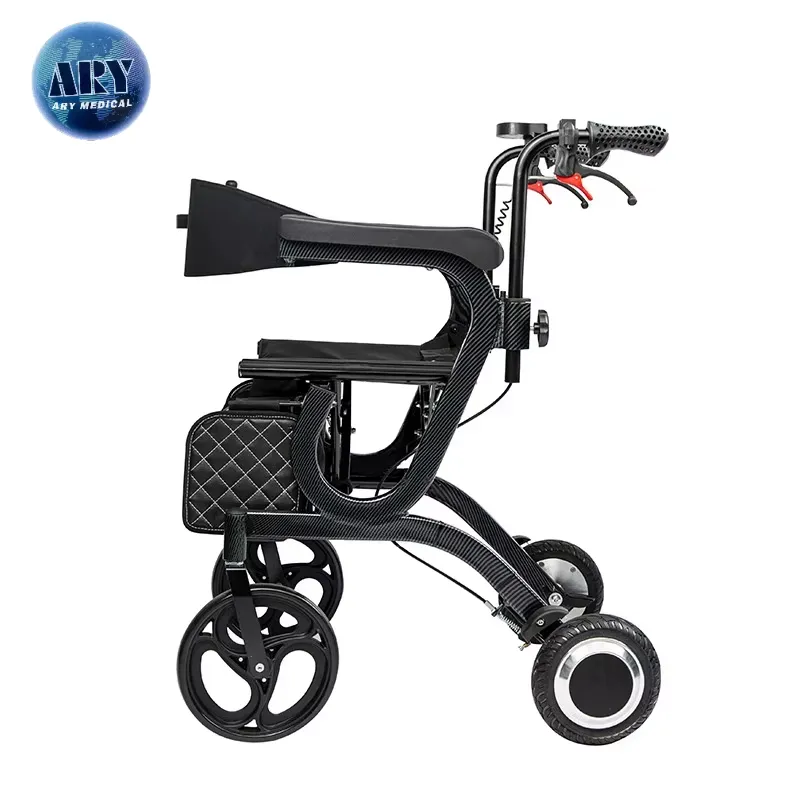
Electric walker controls documentation should identify the exact model, control assembly and intended use for each supplied configuration. The pictured black device shows handles, red levers and a side-mounted control, but the photo does not explain their operation. Ask for current model-specific instructions.
Which records belong beside the sample?
Tie each visible part to a current file. Request a controlled product reference, manual revision and supplied-part list. Keep these together so later dealers do not mix directions from another version.
- Record exact model and revision.
- List the fitted control assemblies.
- Keep current instructions with the sample.
| Record | Use |
|---|---|
| Model and configuration | Defines the supplied device |
| Instructions and parts | Defines approved control scope |
A control picture becomes useful only after product identity is settled. Key Takeaway: You can ask precise questions instead of guessing what a lever means.
Why verify mode names for electric walker controls?
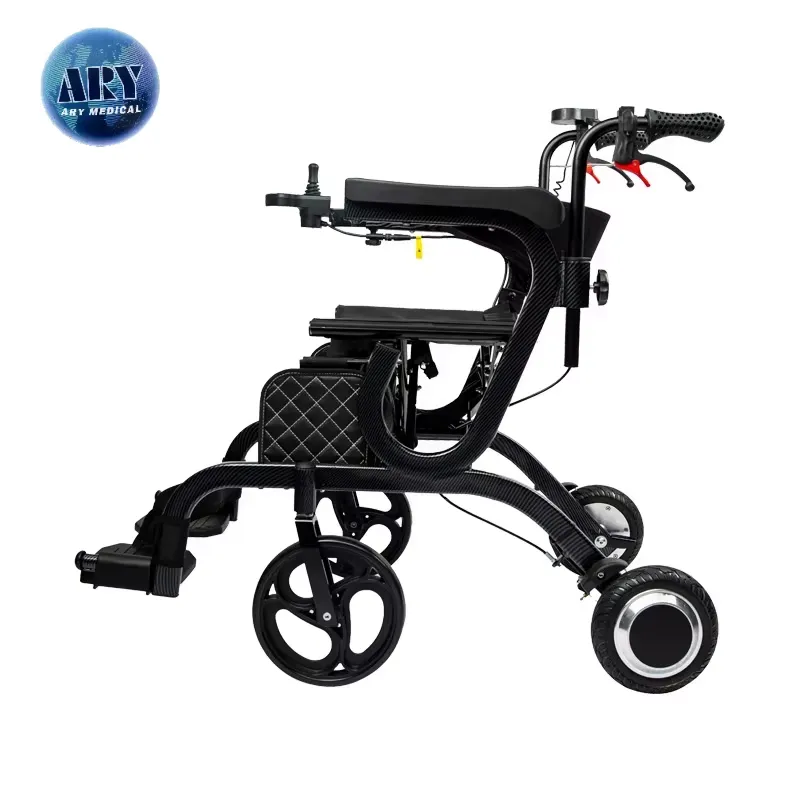
Verify mode names for electric walker controls because the website page and some media labels describe different feature counts. Neither label should override the exact maker record. Do not advertise a mode until its function and allowed use are confirmed.
How can a buyer clear the discrepancy?
Ask for the current configuration list. Use the visible side-control mount as a reference point, then request the manufacturer’s confirmed model sheet. Keep unresolved names out of training and marketing copy.
- Identify the exact marketed model.
- Request current mode names and intended uses.
- Update sales and handover text only after confirmation.
| Unclear item | Required response |
|---|---|
| Feature count | Current model-specific statement |
| Control function | Approved operating information |
A number in an alt label is not an operating manual. Key Takeaway: Your content can reflect what the supplied device really supports.
How do electric walker controls differ across assemblies?
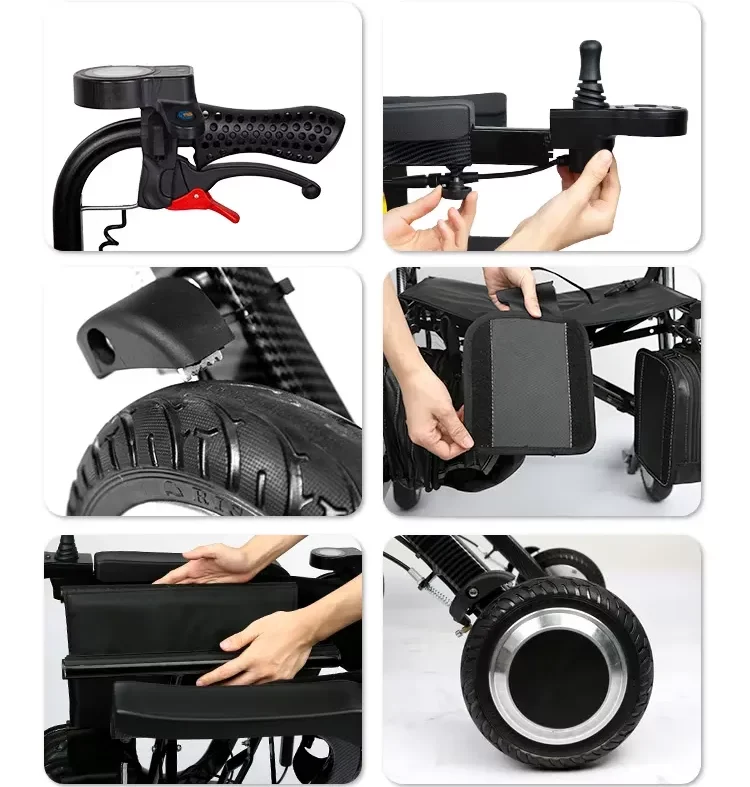
Electric walker controls may serve different roles across the hand levers, side-mounted control and any attendant interface. The collage shows these parts but does not establish what each command does. Compare the exact assemblies with the current maker instructions.
What should a control map show?
Keep the user’s hand path separate from the product claim. Record where each part sits and which authorised task it belongs to. A manual Shopping Walker is a different product, so its lever guidance should not be copied here.
- Identify handles, levers and side control.
- Ask for permitted roles and operating steps.
- Record any model-specific differences.
| Assembly | Question |
|---|---|
| Hand-lever area | What does the maker assign to it? |
| Side control | Who may use it and when? |
Similar-looking controls can have different approved roles. Key Takeaway: You can map parts without inventing a mode from appearance.
Who should review electric walker controls for the user?

A trained professional should review electric walker controls with the intended user and the full device setup. Reach, understanding and the planned setting all affect the handover. A product photo cannot approve one control position for everyone.
What should training cover?
Use the current instructions in a real setup. The UK assistive technology guidance flags missing documentation and poor training as safety concerns. Ask the AryMD team for available model information while local trained staff review user needs.
- Confirm who will assess the user.
- Use the maker’s permitted operating guide.
- Record what remains unclear before handover.
| Review | Responsible input |
|---|---|
| Product operation | Current maker instructions |
| Personal access | Appropriate user assessment |
A good handover joins product facts with the person using it. Key Takeaway: You can separate a supplier demo from an individual use decision.
Can a walking photo explain electric walker controls?
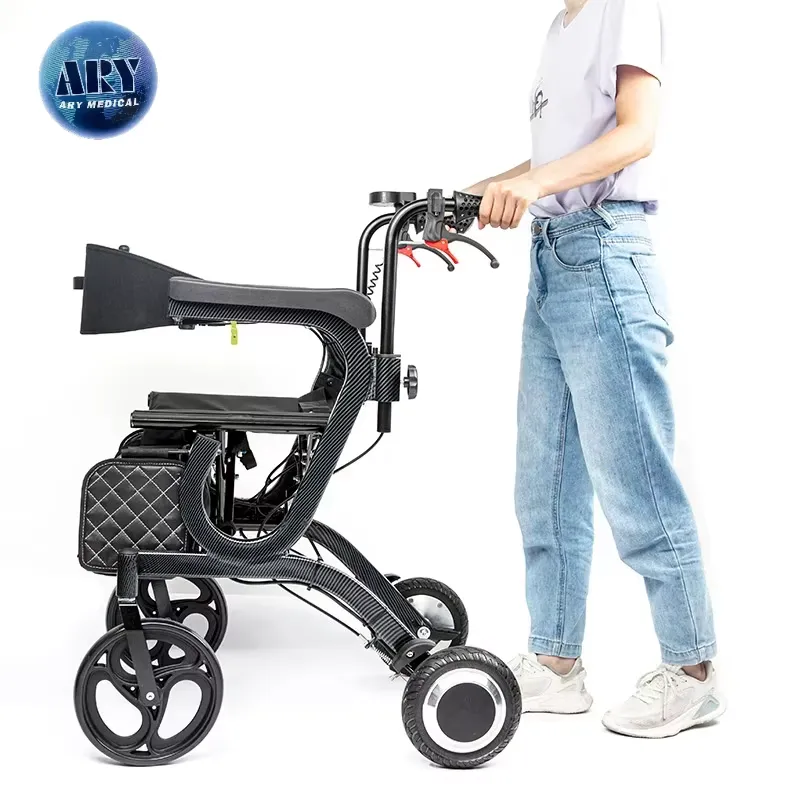
No, a walking photo cannot explain electric walker controls or prove an operating mode. It shows an adult behind a product in one scene. Use it to locate the device, then ask for the exact directions and intended-use limits.
What should the dealer avoid claiming?
Keep visual evidence in its lane. Do not infer powered assistance, speed or a specific control sequence from body position. Compare walking-aid categories only after obtaining this model’s own guidance.
- Describe only visible components.
- Ask the maker to confirm approved functions.
- Keep unsupported mode claims off the product page.
| Photo shows | Photo does not prove |
|---|---|
| Person behind device | Approved control sequence |
| Visible handles | Individual fit or training result |
A staged image cannot replace the manual. Key Takeaway: Your dealer copy can stay accurate while still showing the product.
How should seated access enter electric walker controls review?
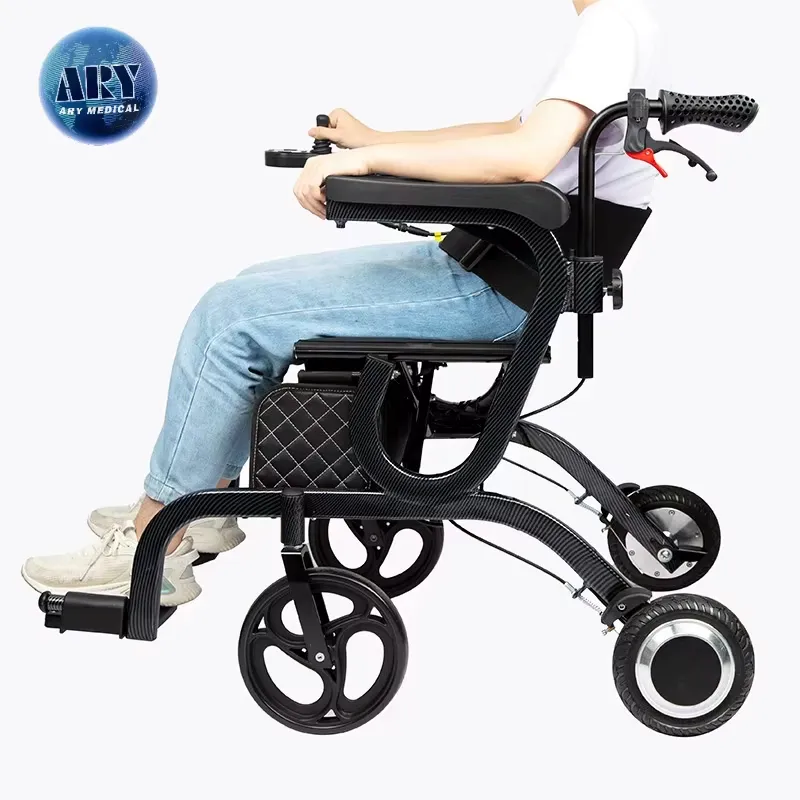
Seated access enters electric walker controls review through the actual support arrangement and authorised control position. The seated product photo shows an adult near the side controller but does not prove fit or permitted use. Keep the individual plan with the correct model guide.
What should be checked before delivery?
Review the whole seated setup. Identify the supplied seat, side support and control mount. Ask trained staff to assess reach and permitted use rather than changing a bracket by eye.
- Record the exact seated configuration.
- Check the approved control position.
- Refer access questions to the responsible assessor.
| Part of setup | Review question |
|---|---|
| Seat and side support | Does it match the approved plan? |
| Control mount | Is reach reviewed in that plan? |
A control can be visible yet poorly placed for a person. Key Takeaway: You can request model options with the user’s real access needs in view.
What happens to electric walker controls during folding?

Electric walker controls must be protected during folding according to the exact device instructions. The folded image does not show a safe sequence or where every control and cable should end. Ask for model-specific handling steps before storage.
What should a handler track?
Follow the control assembly through the fold. Check the permitted positions of handles, cables and side-mounted parts. If a component seems trapped or damaged, stop and use the service route instead of forcing the frame.
- Use the maker’s folding method.
- Protect projecting controls and cables.
- Record required reopening checks.
| State | Review point |
|---|---|
| Folding | Approved component position |
| Reopening | Return to intended configuration |
Compact storage can create new contact points for controls. Key Takeaway: Your transport plan can include the whole device, not just its frame.
What should attendant notes say about electric walker controls?

Attendant notes about electric walker controls should state the exact model, approved role and required training without assigning a function from the photo. The rear-handle scene shows someone beside a seated user, but not a complete operating method. Keep roles clear.
Which handover details matter?
Name who does what before a trial. Use the current instructions to explain staff and user responsibilities. The AryMD contact page can route missing model information before your local team trains anyone.
- Record permitted operator roles.
- Identify current controls and positions.
- Keep service escalation details available.
| Handover field | Reason |
|---|---|
| Operator role | Avoids ambiguous control use |
| Current guide | Supports consistent training |
Two people in a picture are not a task assignment. Key Takeaway: Your team can explain control responsibilities without guesswork.
What should a electric walker controls review chart include?
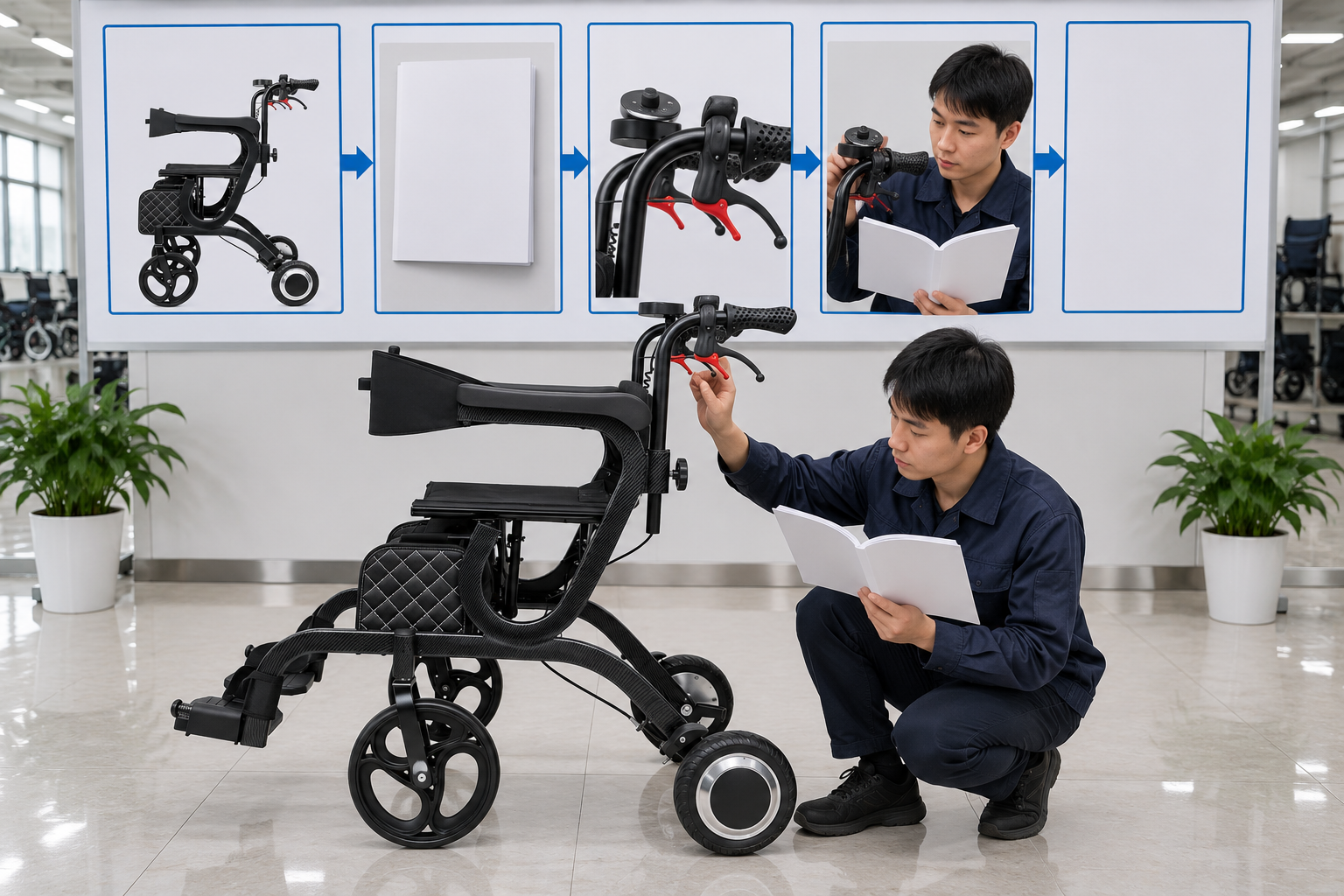
A electric walker controls review chart should connect model identity, instructions, visible parts, user review and a blank pending record. It should never mark training passed before it happens. Attach confirmed maker information to each stage.
How can the chart support a dealer?
Leave unknown boxes open. Use the visual stages as questions for product and training teams. Keep the illustration separate from an actual sample record.
- Identify the current model.
- Map each approved control role.
- Record unanswered training questions.
| Stage | Evidence |
|---|---|
| Product | Current manual and parts list |
| Handover | Named reviewer and open items |
A blank final sheet makes unverified functions visible. Key Takeaway: Your buyer can see what still needs confirmation.
How do you request clear electric walker controls information?

Request clear electric walker controls information by sending the exact model, control photos and intended user setting to the supplier. Ask for approved functions, current instructions and available training material. Confirm the response before ordering.
Ready to resolve the control map?
Send the product question in one brief. Ary Medical can review available model documents and configurations. Your trained local team should make the individual fit and use decision.
- Share model and configuration details.
- Ask for approved control roles and handling guidance.
- Record who reviews the user and handover.
| Your brief | Supplier response to request |
|---|---|
| Model and control photos | Current matching documents |
| Use and training needs | Available product support |
The next step should close a named gap, not add another label. Key Takeaway: For a model-specific review, contact us. Ary Medical favors controls explained by documents and people trained to use them.
Frequently asked questions
Q1: Can I identify a powered mode from a product photo?
No. Use the exact model instructions and confirmed configuration.
Q2: What’s the best way to resolve conflicting feature counts?
Request the current model sheet and check it against the supplied device.
Q3: How do I know if a control suits one user?
Arrange an appropriate individual review of reach, understanding and intended use.
Q4: Can I copy instructions from a manual rollator?
No. This powered device needs its own approved guide and training.
Q5: Should a folding photo guide control handling?
No. Follow the exact maker directions for folding and reopening.